Transcript hygiene. Not a sandbox or a secret manager. Does not protect secrets from a malicious or prompt-injected model.
Use the token. Keep it out of the conversation. Watch it work ↓
01 Enter or capture→02 Hold in memory→03 Use by name→04 Clear when done
See it in action
Use a secret. Manage it on your terms.
Read the demo transcript. Recorded with synthetic credentials; no model calls or clipboard writes.
Less exposure, less ceremony
A private handoff. A normal workflow.
01 / INPUT
Ask without the paste.
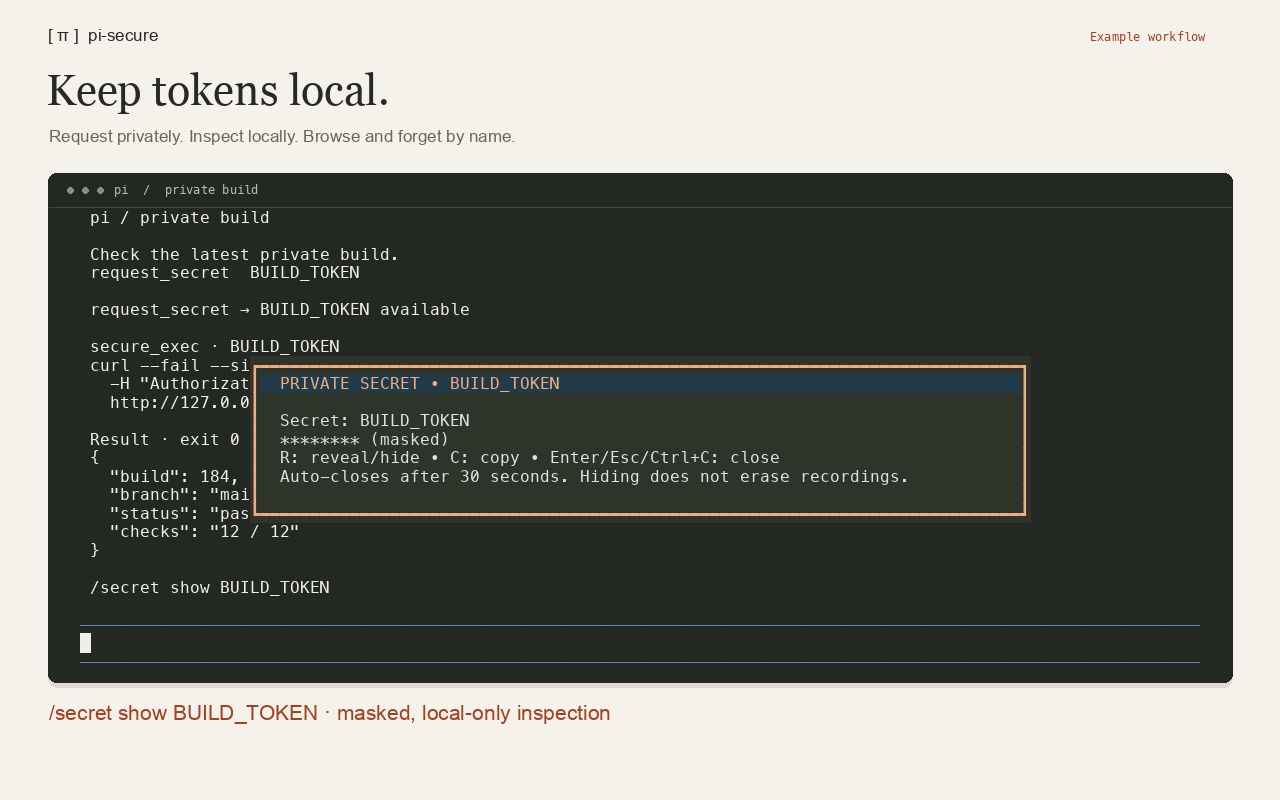
request_secret opens a centered, bordered dialog with a highlighted header and background. One asterisk per character tracks typing and deletion, exposing only the input length locally. The agent receives only a name and availability—not the value. Cancel before submitting.
02 / CAPTURE
Stdout stays private.
capture_secret stores a command’s stdout directly in extension memory. Neither stdout nor stderr is returned to the agent, even on failure. Commands and paths are still logged.
03 / LOCAL ACCESS
Reveal on your terms.
Run /secret show NAME directly, or /secret list to browse names with ↑/↓ or J/K. Enter opens the selected secret's masked dialog; D asks to forget it. No AI prompt needed. In the dialog, R reveals/hides and C copies; reveal and copy require Y confirmation. The dialog closes after 30 seconds.
Clipboard managers, history, and sync may retain copied values. The clipboard is not automatically cleared.
04 / EXECUTION
Use it. Redact the echo.
secure_exec injects named secrets into child-process environment variables. Output is buffered; exact known values are redacted from stdout and stderr before returning.
Not pattern detection: encoded or transformed values can escape redaction. Other tools’ output is not covered. All stored values are checked; large or numerous secrets can exceed redaction limits. Output is then withheld, with recovery guidance. Check the command's effects before retrying.
An explicit boundary
Cleaner transcripts. Not a security perimeter.
This is a way to reduce accidental exposure, not a promise that a secret cannot leave your machine.
A malicious model, or one following a prompt injection, can still obtain or leak secrets through its tools. It could write a secret to a file and read it back, send it elsewhere, or transform it to bypass exact-value redaction. pi-secure does not prevent prompt injection or enforce secret isolation. Reveal/copy confirmations do not protect other tool paths. Use external sandboxing and network restrictions where needed, plus short-lived, least-privilege credentials.
Trust the task and the destination.
Commands can access files, send data, or save credentials. There are no destination or file-access restrictions. Never put literal values in chat or tool arguments; names, reasons, commands, and availability are logged normally.
Local doesn’t mean unobservable.
Terminal input recording, scrollback, screen capture, host extensions, process inspection, debug logs, crash dumps, and the operating system are outside this protection. Revealing a value is not recording-proof.
Forget is not erase. Or revoke.
Values live in extension memory and are forgotten on clear, reload, session start, or shutdown. JavaScript memory is not guaranteed to be zeroized. Clearing does not revoke credentials or erase subprocess copies. Prefer short-lived, least-privilege tokens.
Small by design
Bring it to your terminal.
Already using Pi? Review the source, install from npm or git, then fully restart Pi. /reload can retain stale helper modules.
Inspect third-party extensions before loading them.
Install now
Git
pi install git:github.com/moejay/pi-secure
Install from npm
npm
pi install npm:@moejay/pi-secure
Published on npm. Includes the pi-package discovery keyword.
/secret list to browse, reveal/copy, or forget a selected secret. /secret show NAME to open one directly. /secret clear NAME to forget one; /secret clear to forget all. Clearing even one cancels active secure operations and queued dialogs; other stored values remain available.